How To Put an Instagram Link in a TikTok Bio

Ahmed Chougle
January 13, 2026
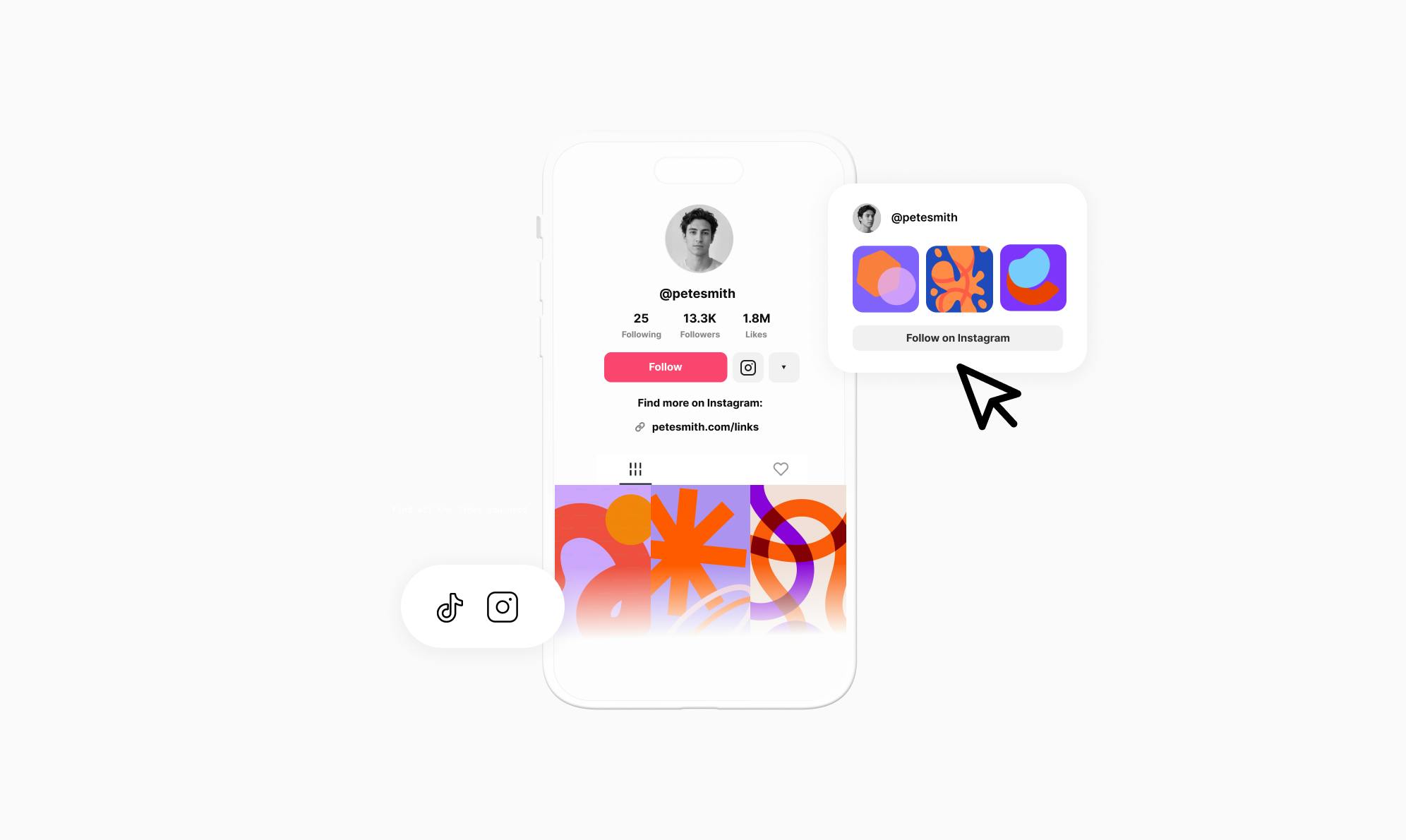
Are you trying to grow your Instagram following through TikTok?
TikTok and Instagram work well together for growing your audience, but many creators aren't sure how to link the two platforms. If you want to turn your TikTok followers into Instagram followers, you need a simple way to connect them.
In this article, I'll walk you through how to add an Instagram link to your TikTok bio and effectively showcase your Instagram content.
Why Add Instagram to Your TikTok Bio?
With 50% of U.S. adults using Instagram and 37% using TikTok, these are two of the most popular social platforms today, and they work seamlessly together for growing your audience. When you connect your TikTok to Instagram, it helps you reach followers in more places and build a stronger presence across both platforms.
Let's break down how connecting both platforms can help you:
- A direct link lets your TikTok followers find and follow you on Instagram without searching for you manually.
- Your content on Instagram is different from TikTok. This allows your followers to engage with your posts, stories, and reels there.
- When followers can connect with you on both platforms, you increase overall engagement and build a more loyal community.
- Showing up on multiple platforms makes you look more professional and established as a creator or business.
Now that you understand the benefits, let's walk through how to add your link.
How To Add an Instagram Link to Your TikTok Bio
Adding an Instagram link to your TikTok bio is straightforward. There are two ways you can do it, and we'll walk you through both. First, we'll show you TikTok's native approach. Then, we'll share a better way that showcases your Instagram content beautifully.
Method 1: Add an Instagram Link Using TikTok's Native Feature
The quickest way to connect your Instagram to TikTok is through TikTok's built-in feature. This method is simple and requires no extra setup.
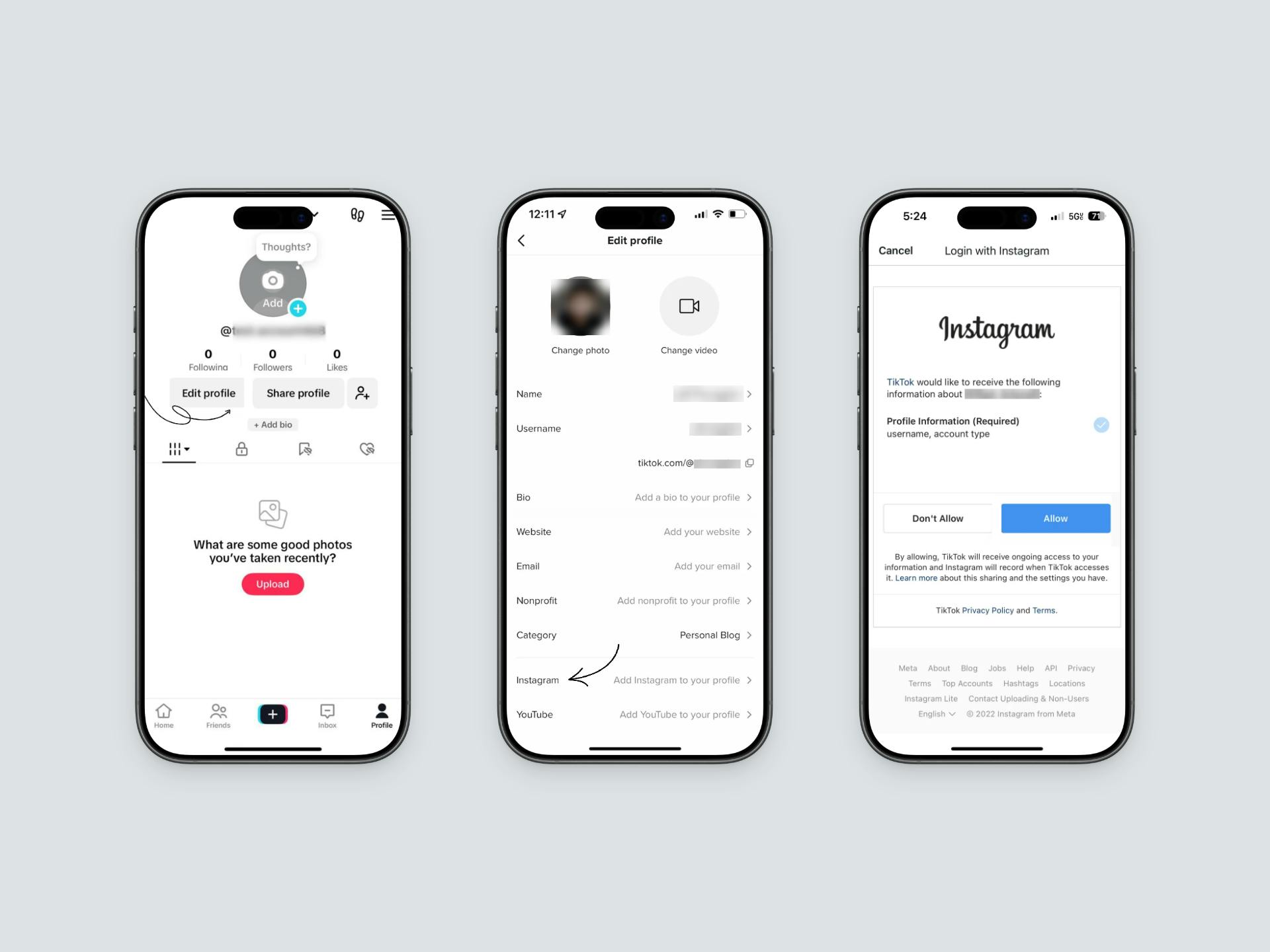
Here's how to add your Instagram link to TikTok:
- Open the TikTok app and go to your profile.
- Tap Edit Profile.
- Scroll down to the Social section and tap Add Instagram.
- Log in to your Instagram account, and a button will show up on your profile.
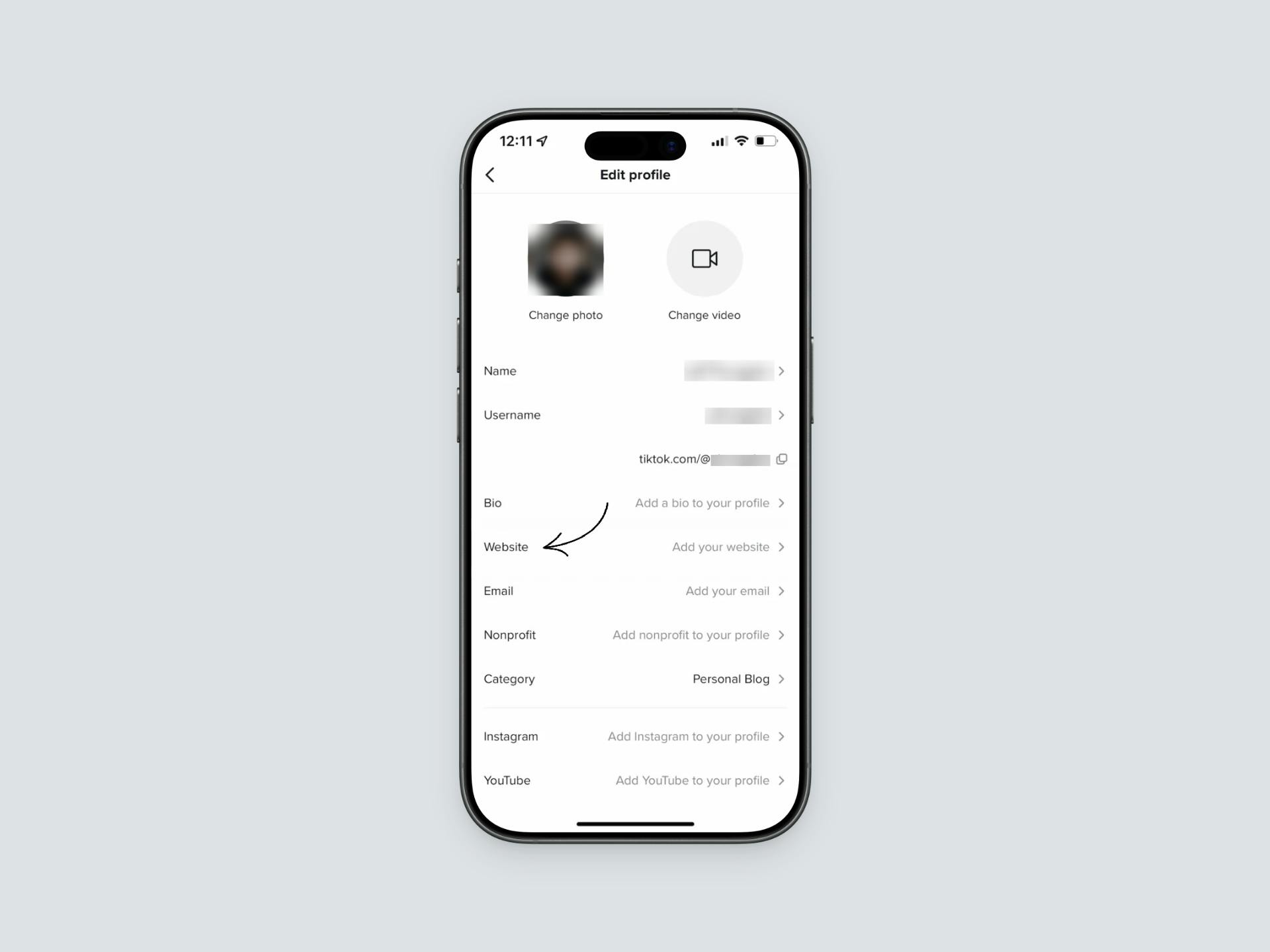
You can also add a direct plain link to your Instagram profile by pasting your Instagram URL into the Website field instead. This works similarly but appears as a text link rather than an Instagram icon.
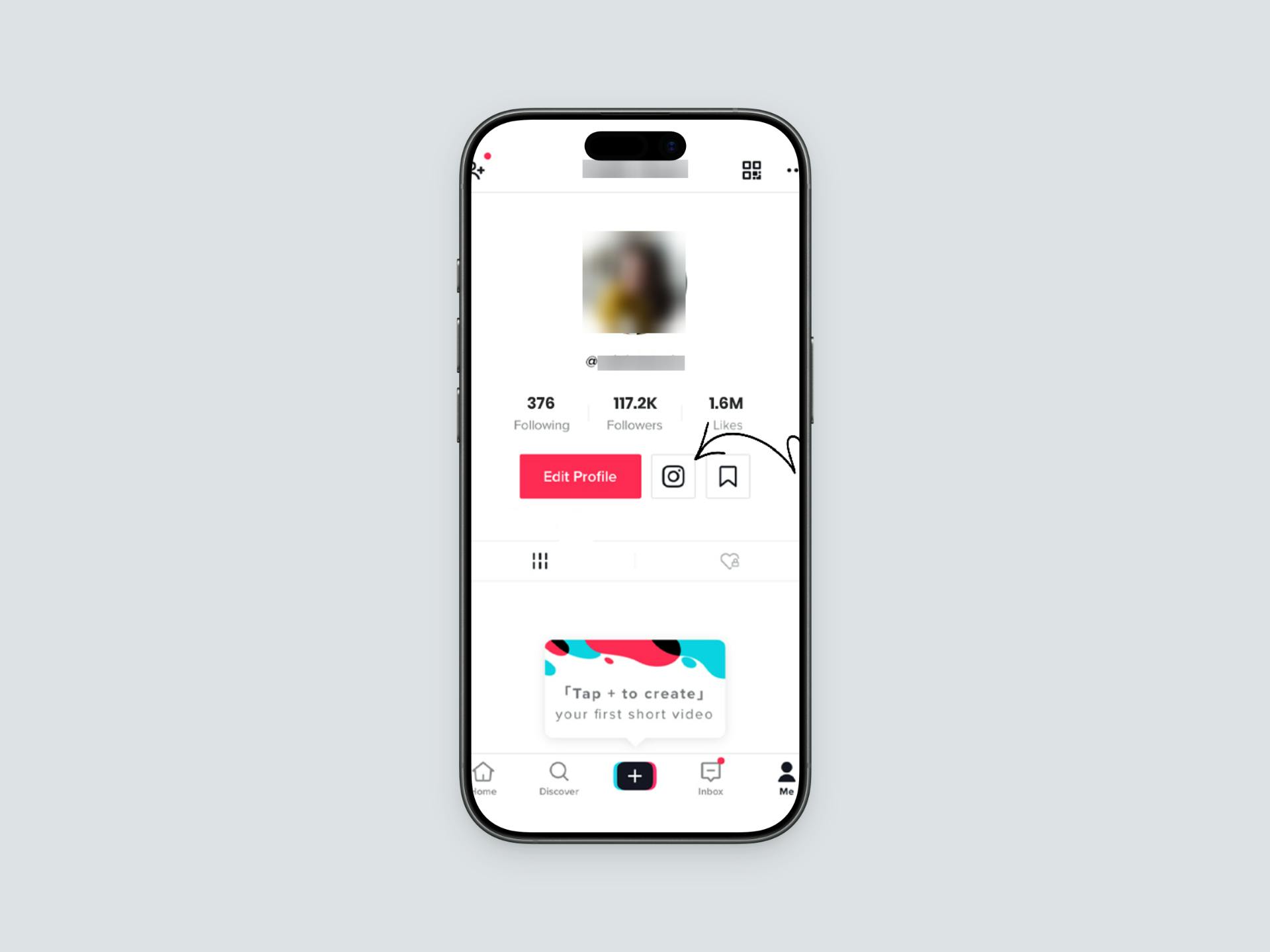
That's it. Your Instagram link will now appear in your TikTok bio, and followers can tap it to visit your Instagram profile.
Limitations of the Native Instagram Button/Link
While this method is simple, it has some limitations that might affect how well it works for connecting your platforms:
- The link opens the Instagram app, taking followers away from TikTok.
- Followers can't see any preview of your Instagram content before clicking.
- The link appears as a simple icon or text with no customization options.
- You can't choose which Instagram posts to highlight.
- There's no way to track how many followers click through to your Instagram.
Because of these limitations, there's a better way to showcase your Instagram content and create a more engaging experience for your TikTok followers. Let's explore it.
Method 2: Create an Instagram Feed For TikTok Using Social
If you want to create a more engaging experience for your TikTok followers, a custom bio page is a much better solution. It gives you several advantages over TikTok's native Instagram button:
- You have complete control over how your Instagram feed looks and what content shows up. This creates a great first impression among your followers.
- You get detailed analytics showing how many people click on your button. This helps you understand what your audience likes.
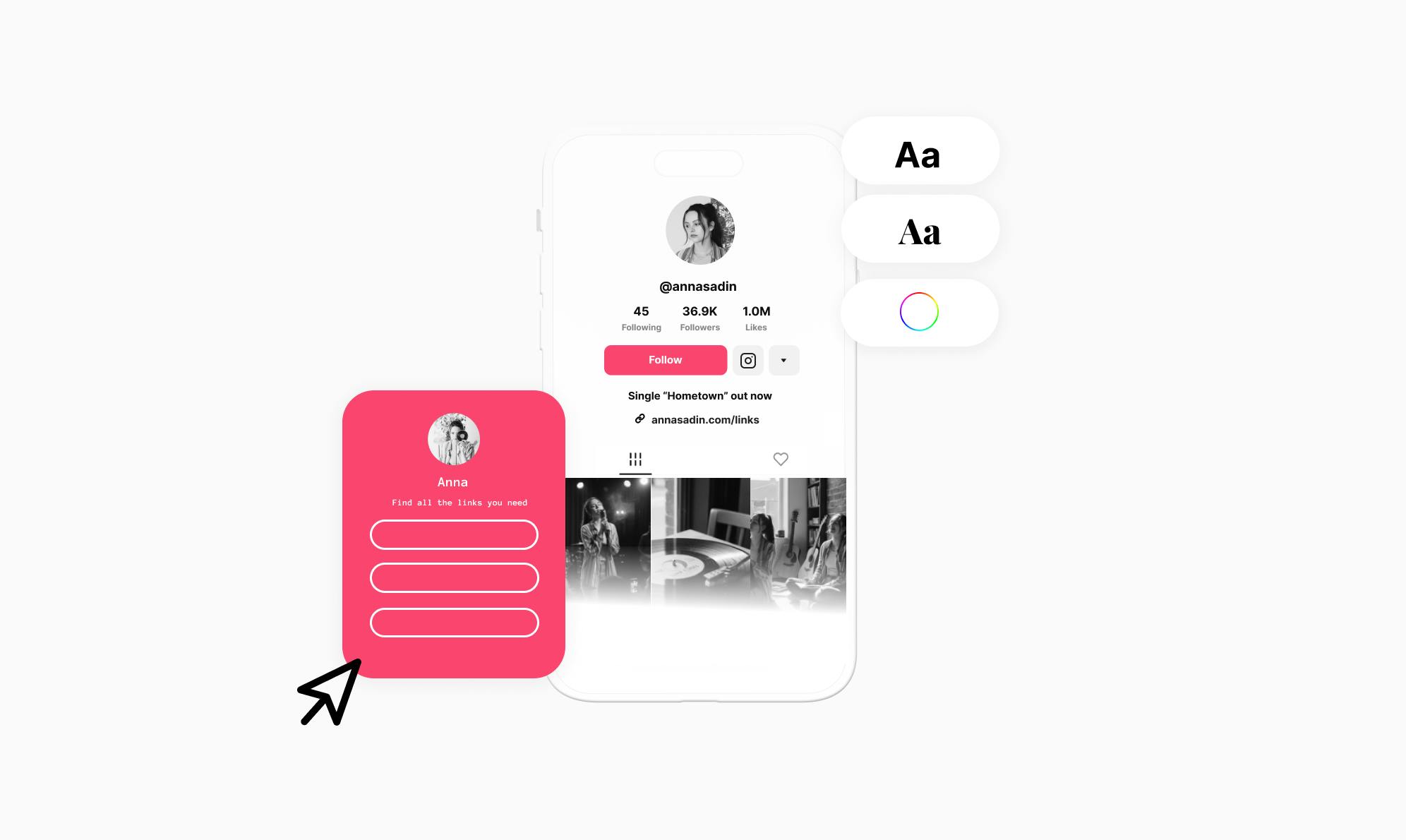
- You can add other links alongside your Instagram feed, like your blog, newsletter, or other social accounts.
For this, I'll recommend using two plugins together: Social to build your bio page, and Spotlight to create a beautiful Instagram feed. This combination lets you show your Instagram content right on your bio page, so followers can see your best posts.
How to Set Up Your Instagram Feed Showcase for TikTok Bio
Now that you understand the benefits, let's build your Instagram feed using Social and Spotlight.
1. Install the Required Plugins
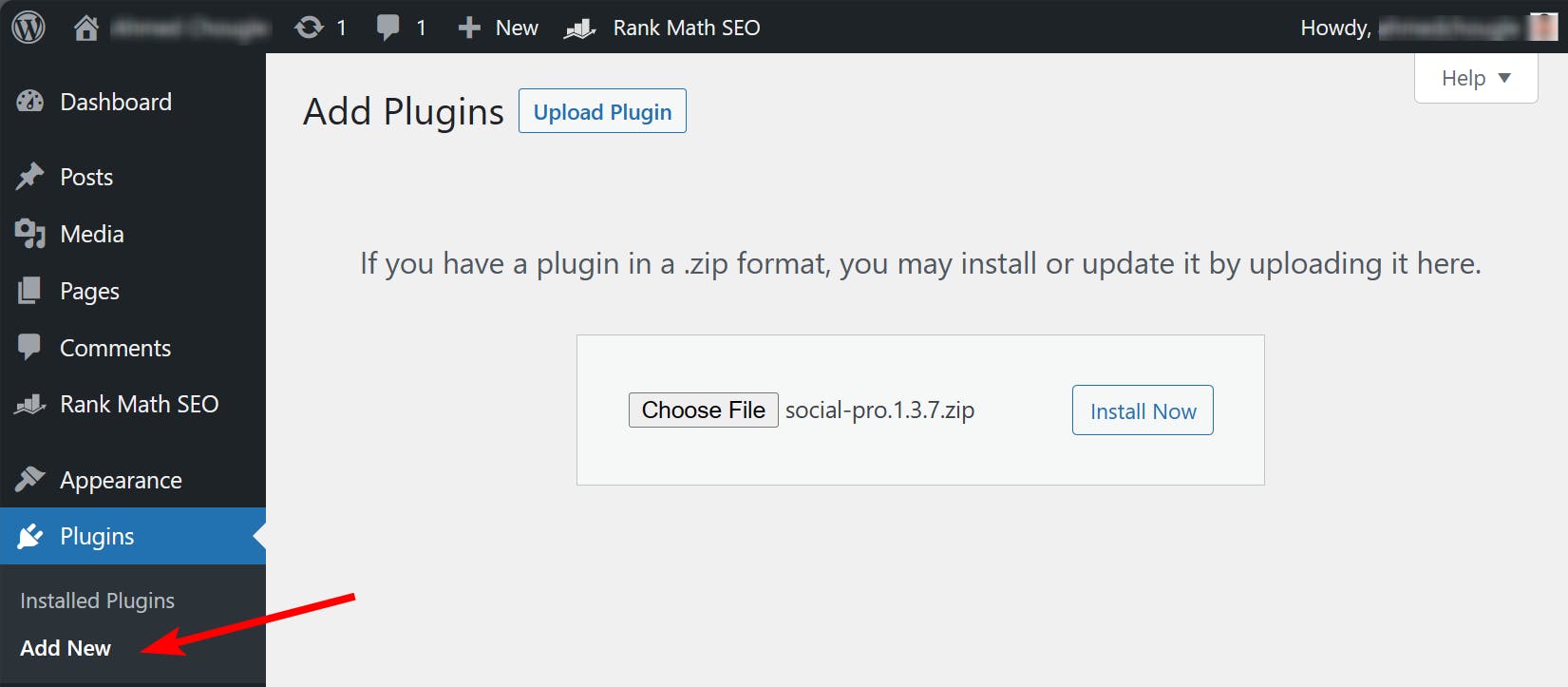
First, you'll need to install both plugins on your WordPress site. Get yourself a copy of the Social plugin and install it like you'd install any other WordPress plugin.
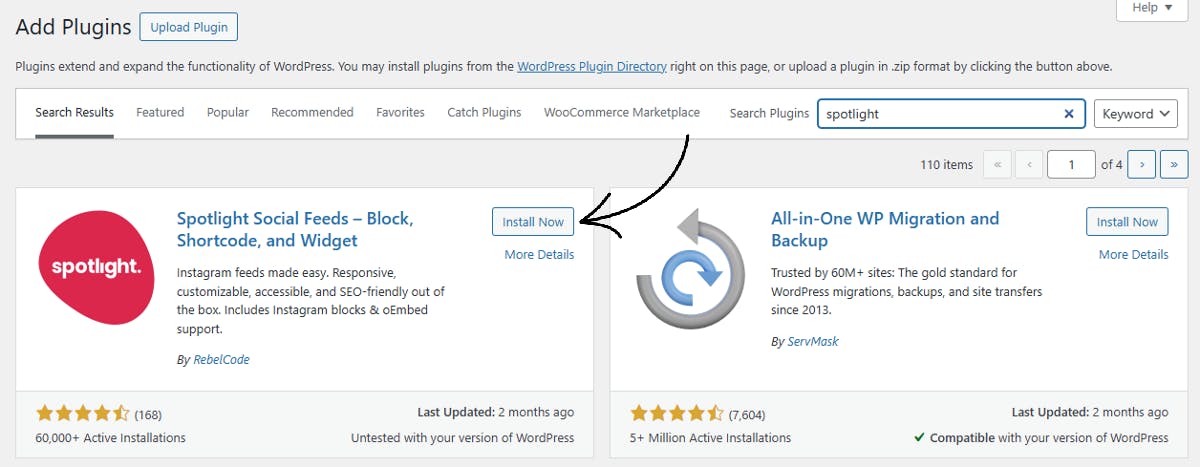
Then, install the Spotlight plugin, which will help you create and display your Instagram feed.
2. Create Your Instagram Feed with Spotlight
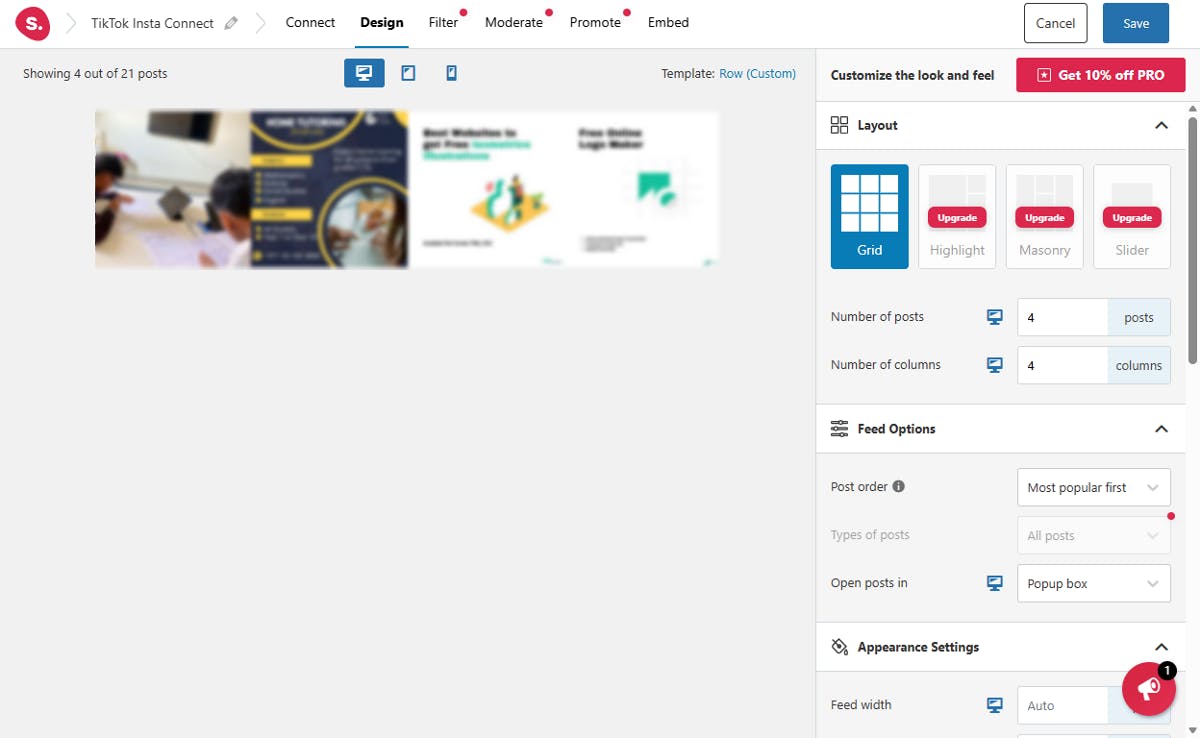
Once Spotlight is installed, create your Instagram feed. Navigate to the Instagram Feeds > Feed and choose the type of feed you want to create, such as showing all your content, tagged posts, or a hashtag feed. Then select a design template or create your own, and connect your professional Instagram account to retrieve your posts.
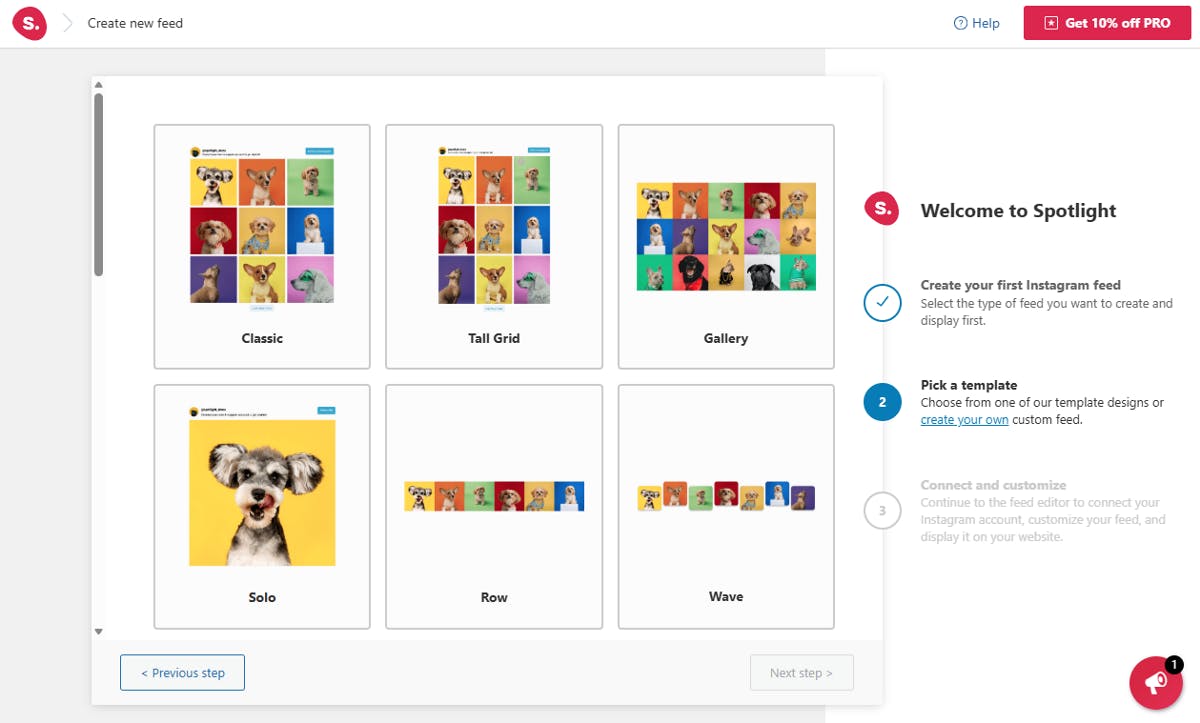
Once connected, you can customize your feed's layout, number of posts, and appearance settings. When you're happy with how it looks, save your feed.
3. Create Your Bio Page Using Social
After installing Social, navigate to the Social page in your WordPress dashboard and click All Templates. You'll see various professionally designed templates perfect for showcasing your Instagram content.
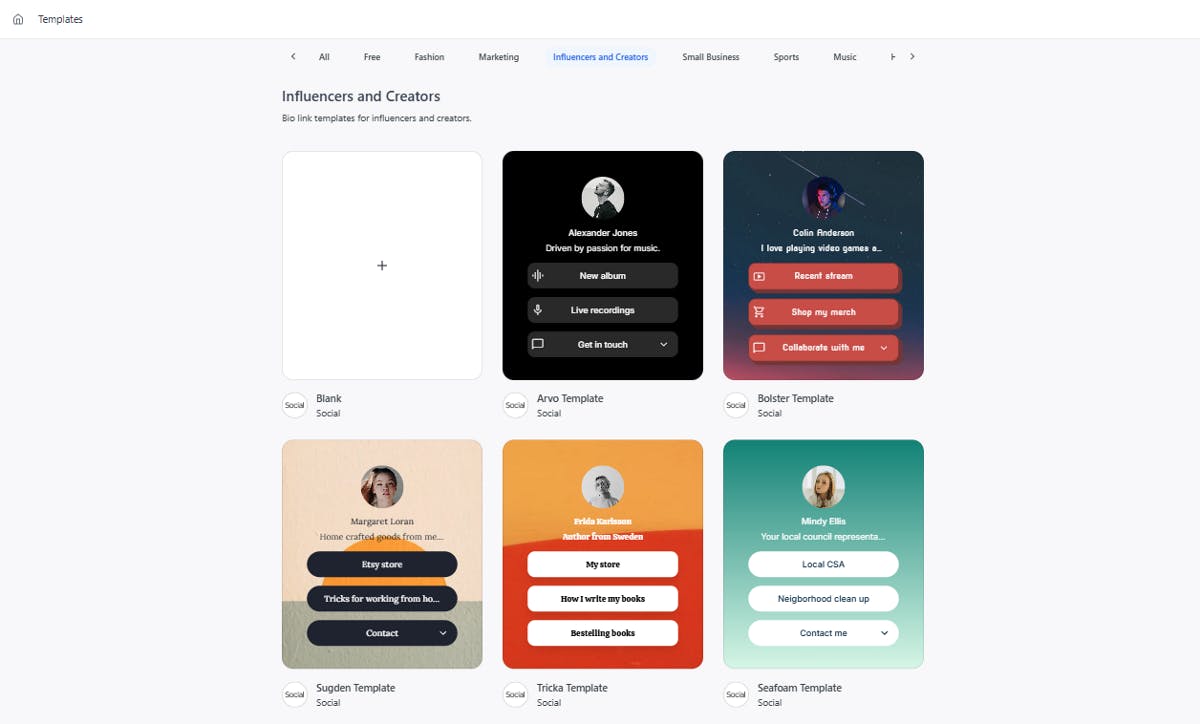
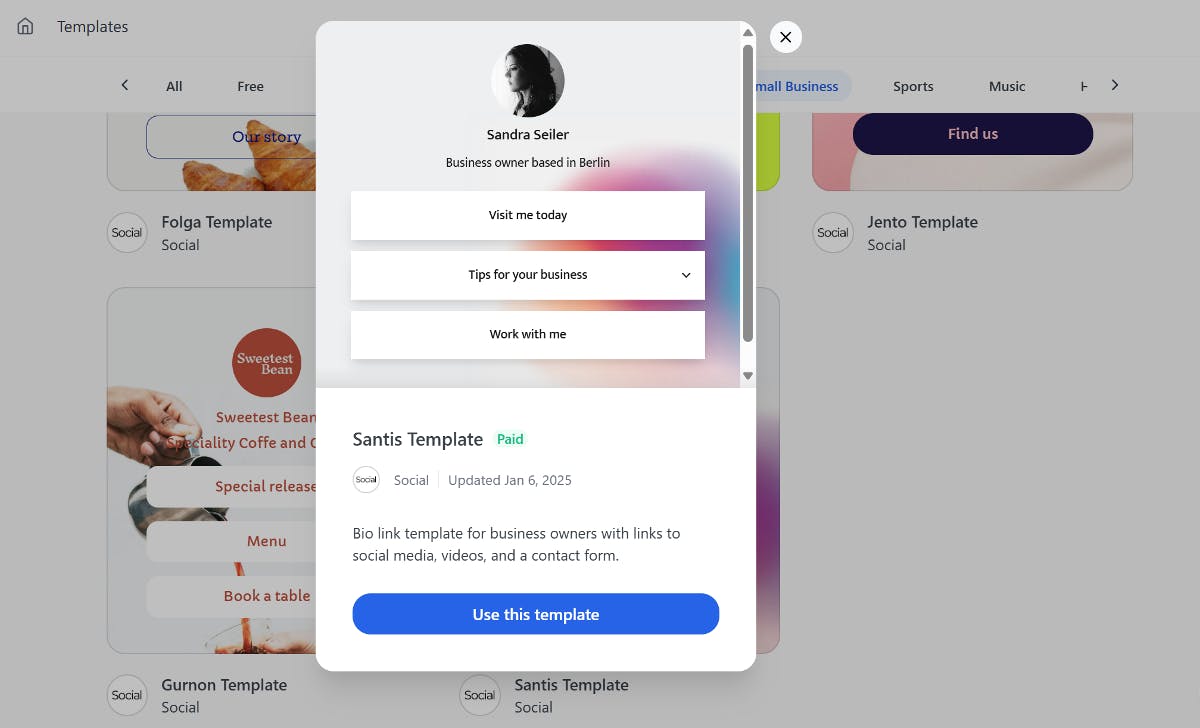
Browse through the options and find a template that matches your brand. Once you've found one you like, hover over it and click the Use template button. This will launch a step-by-step wizard to guide you through customizing your page.
4. Add Your Instagram Feed to Social Page
Once your page is created, click Continue to the editor to customize it. Here's where you'll add your Instagram feed.
Click the Explore button to see all available buttons and blocks.
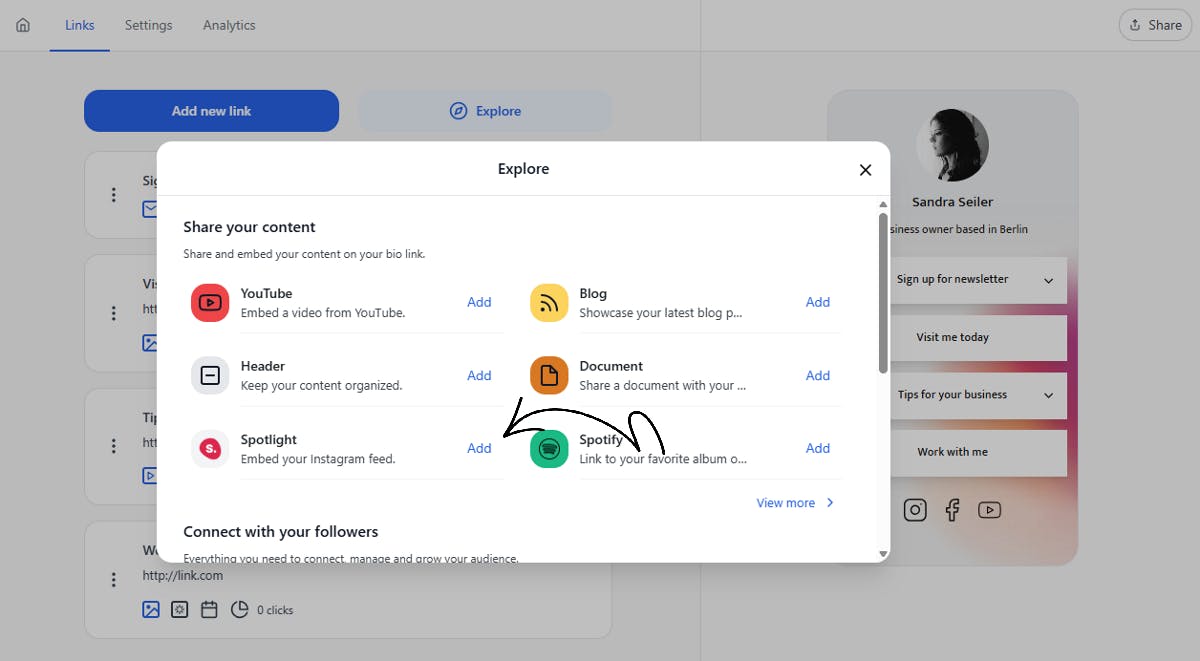
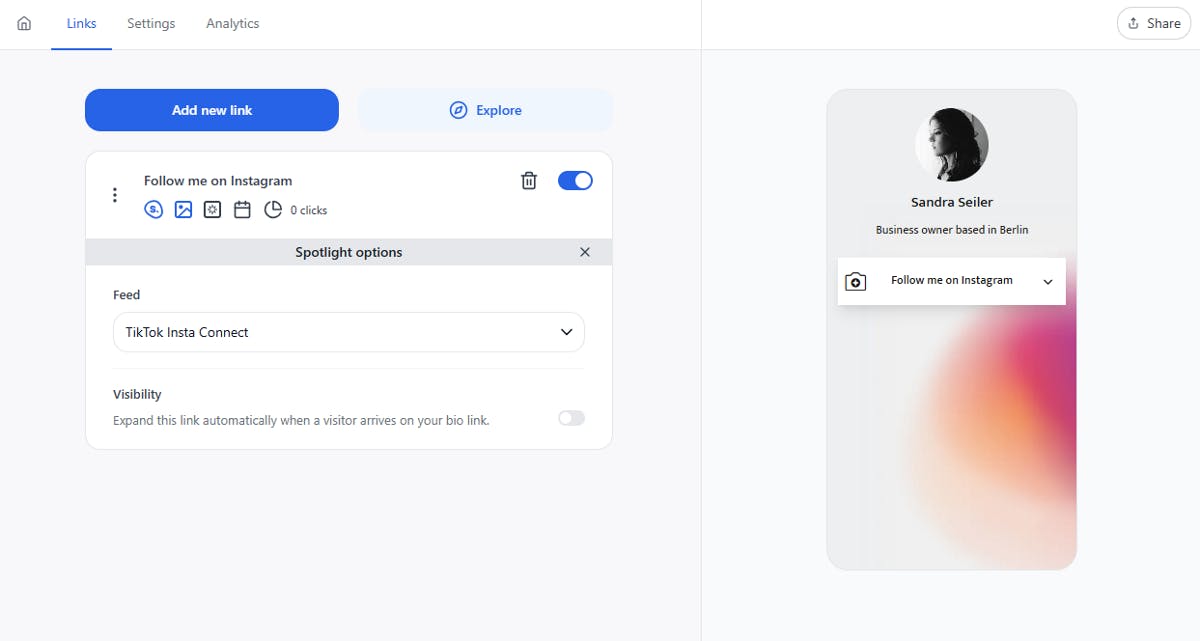
Social integrates with Spotlight and lets you add any feed to your bio page with just a click. Look for the Spotlight button, add it to your page, give it a title like "Follow on Instagram," and select the feed you just created.
5. Customize Your Bio Page
You can also add other links to your bio page alongside your Instagram feed. Click Explore again and add blocks for your YouTube, Pinterest, Twitch, Vimeo, or other social accounts. Each link becomes a clickable button on your page.
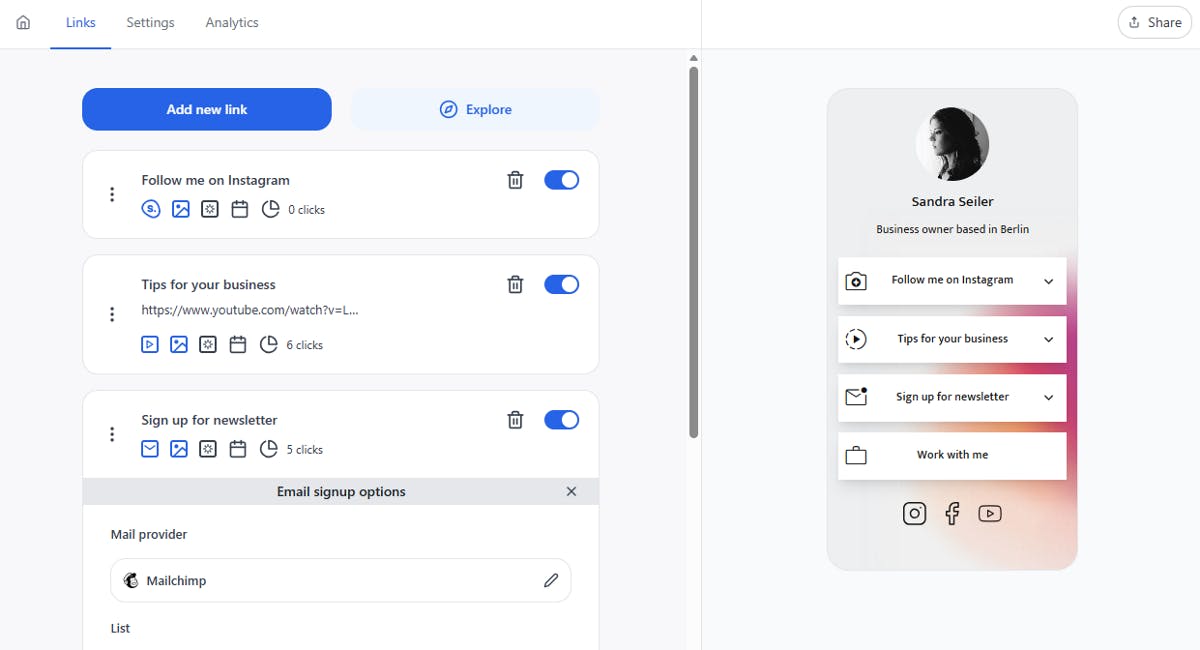
You can also customize the design to match your brand. You can change colors, add your logo, adjust fonts, and more. Social gives you complete control over how your page looks. You can also add icons and animations to buttons to make them more engaging.
6. Share Your Bio Page
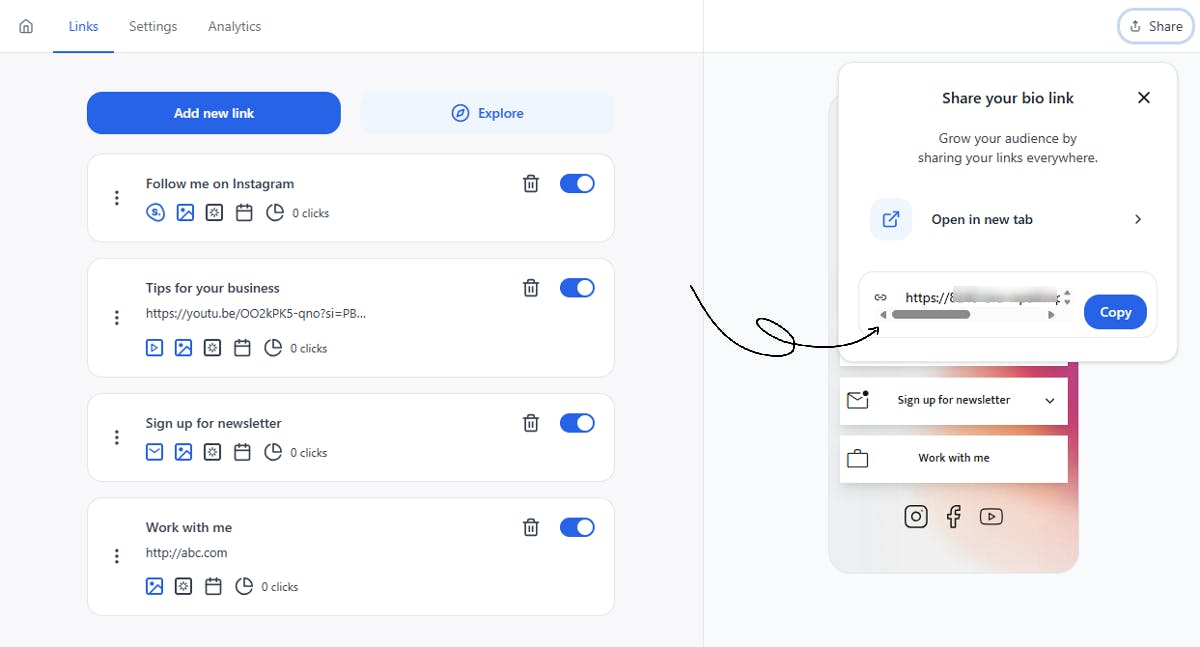
Once your page is ready, click the Share button in the top right corner and copy the URL. Go to your TikTok profile, tap Edit Profile, and paste the URL into the Website section, just like you did in Method 1.
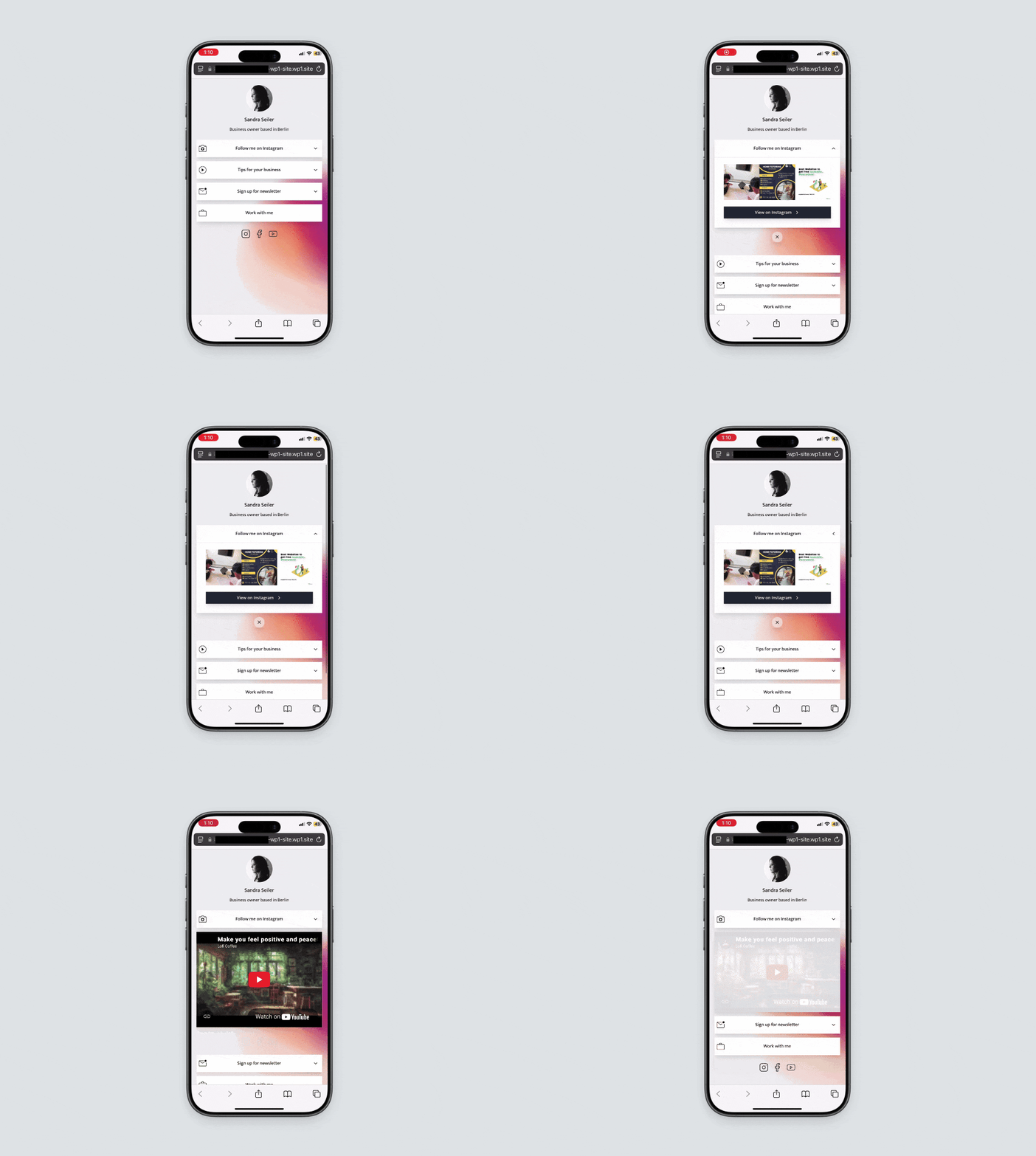
Your followers can now click the link in your TikTok bio and see your Instagram feed displayed beautifully on your own custom page.
Best Way to Add an Instagram Link to Your TikTok Bio
Connecting your Instagram to TikTok helps you grow your audience across both platforms. To connect both platforms, you can either use TikTok's native link feature or create a custom bio page with an Instagram feed.
TikTok's native feature is quick and simple. It works well if you just need a direct link to your Instagram profile. However, a custom bio page built with Social offers a much better experience. It lets you showcase your best posts, gives you complete control over what followers see, and provides analytics to track engagement.
Ready to showcase your Instagram feed on TikTok? Download and install the Social plugin today.
Level up your WordPress website with Social
Start your free trial today and see how you can benefit from fastest-growing bio link solution for WordPress.
Get started for freeAhmed Chougle
The ultimate bio link tool for WordPress
Get started today and join 1.000's of brands and creators using SocialWP to level up their social media presence.
Get startedMore articles
Get started
Join 1.000's of brands and creators - get started today.
Become part of the fastest growing bio link platform for WordPress — choose your plan and start today.
Try it now- it's free